Voice Note
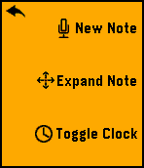
VoiceNote allows you to easily save notes to your watch with your voice. An easy to use menu makes it easy to navigate and select your desired option.
To Create a Note:
- Open the App
- Click Select to go to Menu
- Click Up to create a new note
- Speak the Title
- Speak the Subtitle
To Expand a Note:
- Highlight Note you want to Expand
- Click Select to go to Menu
- Click Expand Menu
To Delete a Note:
- Hold Select when the note you want to delete is highlighted.
Many more features will be coming in a future updates. Please message me if you find any bugs or want to suggest a feature.
If you like the app, please consider donating here http://bit.ly/VoiceNoteDonate
Screenshots